> For the complete documentation index, see [llms.txt](https://top-100-writer.gitbook.io/top100-documentation/llms.txt). Markdown versions of documentation pages are available by appending `.md` to page URLs; this page is available as [Markdown](https://top-100-writer.gitbook.io/top100-documentation/nastroika-sbora-i-otpravki-dannykh/android-sdk/debug-rezhim-android-sdk.md).
# Debug режим (Android SDK)
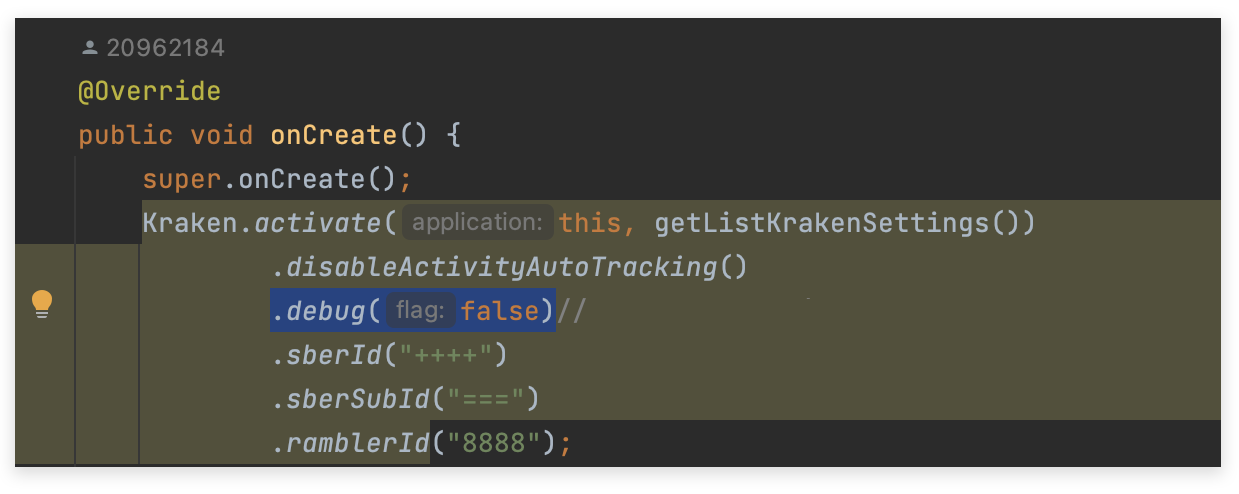
Debug режим позволяет проверить корректность работы счетчика и его параметры. По умолчанию debug режим выключен. Для того чтобы его активировать, необходимо поменять переменную flag в функции `.debug` с **"false"** на **"true"**.
Параметр debug выключен
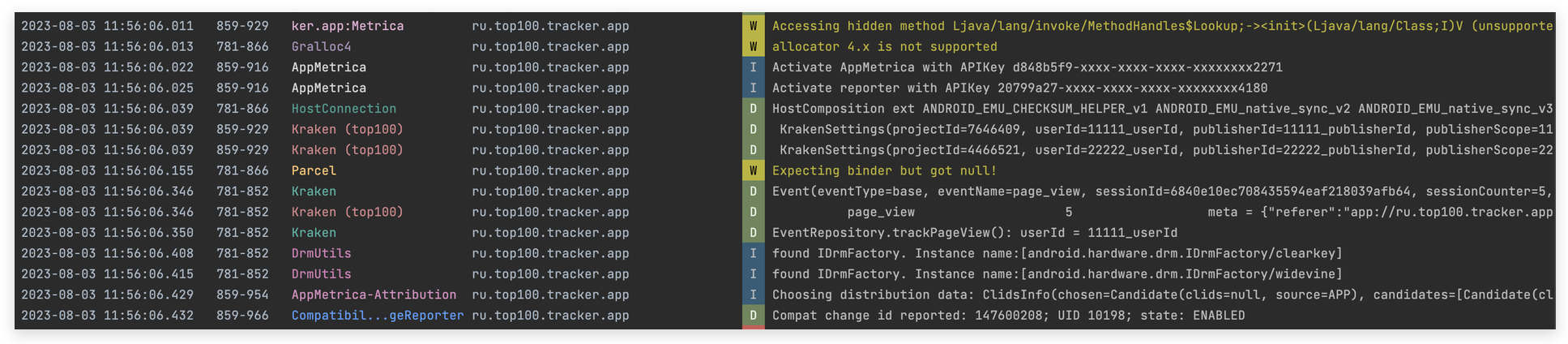
После чего в консоль будет выводиться логирование событий, где будет информация о названии счетчика, его параметрах и действиях.
Активированный debug режим
Для выключения debug режима поменяйте переменную flag в функции `.debug` с **"true" на** **"false".**